
Feature 06 · Family display

One tablet on the fridge for everyone.

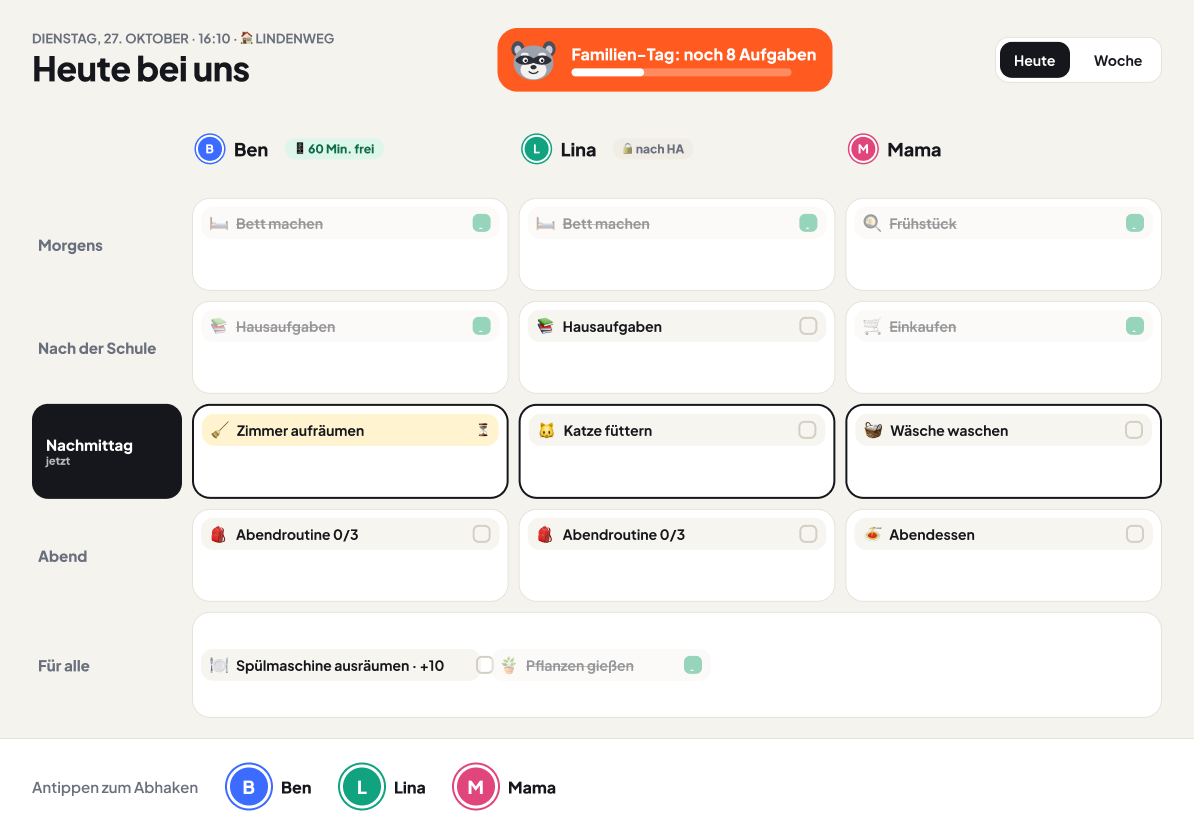
An old tablet becomes your shared plan. It shows everyone's day, without balances and without settings.

Examples: the Evans family · the Taylor family

In development · Public beta in preparation

Family display on a tablet: everyone's day at a glance
From family life

Two examples.

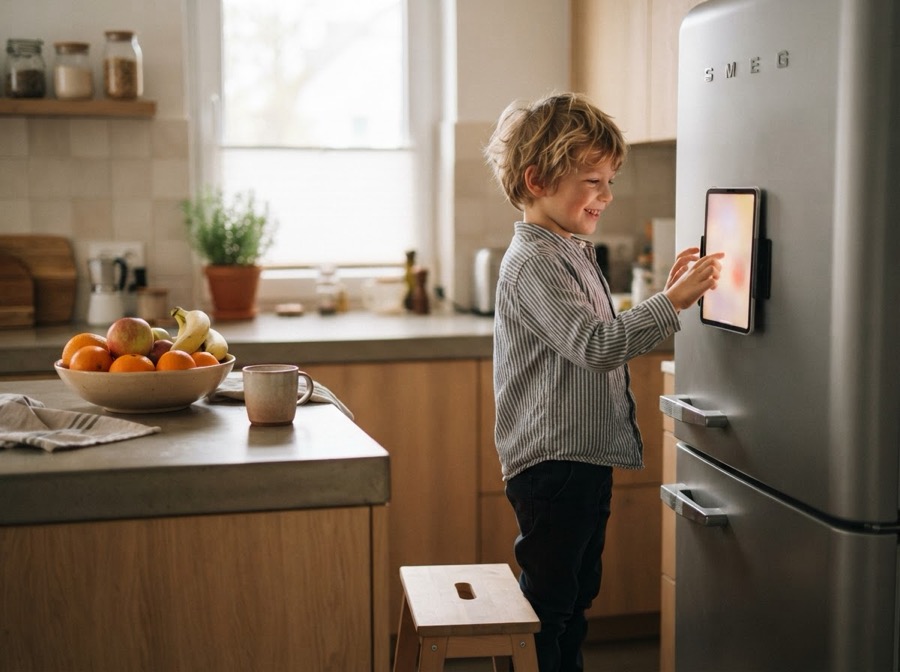
A young boy taps a tablet on the fridge door
AI image

The Evans family · one home Harry (7) and Sarah

No phone of his own needed.

The situation

Harry is seven and doesn't have a phone. He still wants to tick off his chores himself, just like Isla.

How it works with Choreaction

  1. Sarah pairs an old tablet as the family display with a QR code and puts it up next to the fridge.
  2. There Harry sees what's on today, for everyone in the family.
  3. To tick something off, he taps his avatar and then the chore. He doesn't need a PIN.

Harry does exactly what Isla does on her phone. Just in the kitchen, with one tap.

A mum at the hob taps the tablet on the worktop while her daughter does homework in the background
AI image

The Taylor family · two homes Amelia (8) and Mum

Approving while cooking.

The situation

Mum is at the hob when Amelia ticks off her homework. It's set to “I'll approve”.

How it works with Choreaction

  1. Amelia ticks it off on the display at Maple Road.
  2. Mum signs in quickly with her PIN and approves it, without getting her phone out of her pocket.
  3. Then the display belongs to everyone again. Settings can't be changed there.

Approving takes five seconds. Amelia's screen time turns green in the same moment.

ADHD-friendly

Why it helps with ADHD

  • Always in sight: the plan hangs where everyday life happens. With ADHD, out of sight often means out of mind.
  • No phone rabbit hole: kids tick off chores without picking up a device full of games and videos.
  • A tap, not a code: every hurdle before ticking off costs momentum. Without a PIN, one tap on your own avatar is enough.

And for everyone else? Younger siblings without their own device are just as involved as the older ones.

In detail

  • Tick off with one tap: kids without their own phone tap their avatar and tick it off. A PIN can protect a profile if you like.
  • Quick sign-in: grown-ups approve photos and rewards with their PIN right on the display.
  • Planning stays in the app: nothing can be changed on the display.

Be there when it starts.

We'll let you know as soon as you can try Choreaction in the public beta.