

Feature 05 · First X, then Y

Homework first, then screen time.

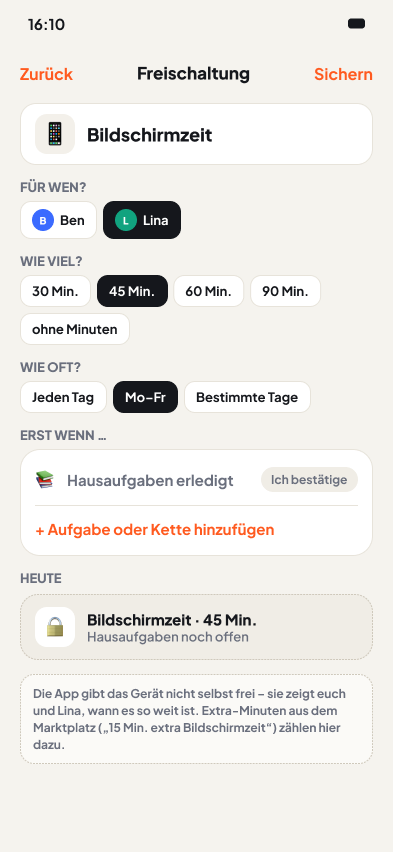
Unlocks make your rules visible. They don't cost coins and apply for the rest of the day once the condition is met.

Examples: the Evans family · the Taylor family

In development · Public beta in preparation

Setting up an unlock: screen time after homework
From family life

Two examples.

A young boy does his homework at the kitchen table, with a tablet beside him
AI image

The Evans family · one home Harry (7) and Sarah

“Can I have the tablet now?”

The situation

The question comes every day, usually the minute Harry is home from school. The answer is always the same: homework first.

How it works with Choreaction

  1. Sarah sets up the unlock “Tablet, 30 min”, Monday to Friday, condition: homework.
  2. Harry sees it as a card on “Now”, locked with the hint “after homework”.
  3. When he ticks off his homework, the card turns green and Socks celebrates.

Harry doesn't ask any more, he checks his card. The rule is the same, it just doesn't come from Sarah now.
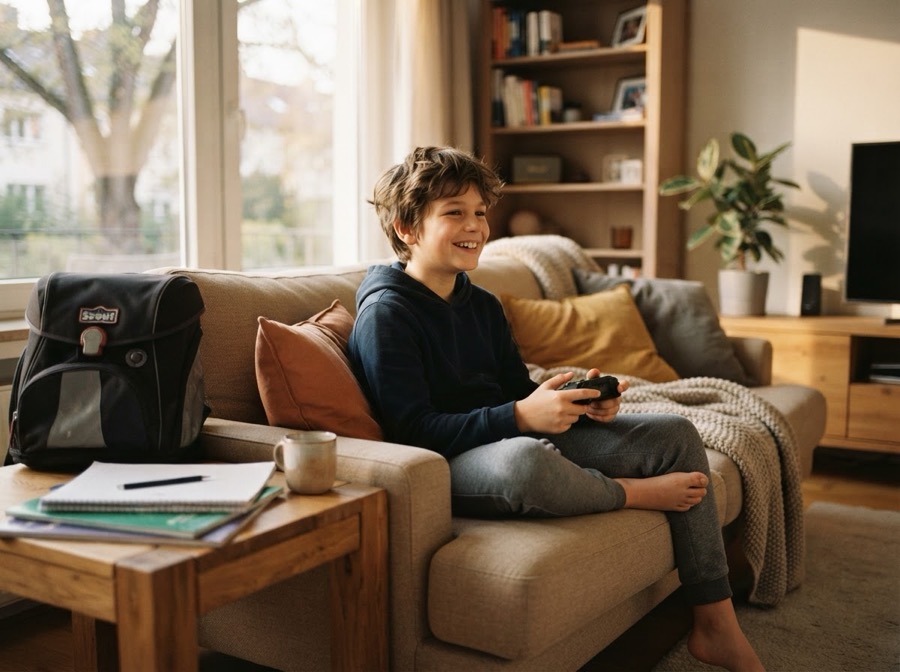
A boy sits on the sofa with a games controller after his homework
AI image

The Taylor family · two homes Oliver (11) and Amelia (8)

Screen time is green.

The situation

Oliver ticked off his homework at 3:20 pm, Amelia hasn't yet. Both get screen time, but only afterwards.

How it works with Choreaction

  1. Oliver sees “Screen time · 60 min unlocked”. Amelia's 45 minutes are still locked.
  2. Mum sees both on “Today” and on the family display, without having to ask.
  3. Oliver buys 15 extra minutes in the marketplace for 25 coins. Today it's 60 + 15 min.

Nobody has to share out screen time fairly. The rule is equally visible to everyone.

ADHD-friendly

Why it helps with ADHD

  • If-then, visible: clear first-then rules help especially with ADHD when you can see them instead of having to hear them.
  • No clock running out: the app doesn't count down or lock a device. No timer stress.
  • Fewer debates: the rule comes from the plan, not from a parent's mouth.

And for everyone else? The same rule for every sibling, visible to every child. That feels fair.

In detail

  • Locked until it fits: an unlock turns green once the linked chores are done.
  • Visible to everyone: child, parents and the family display can see whether screen time is unlocked today.
  • Extra minutes: are available in the marketplace for coins, for example “60 + 15 min today”.
  • No countdown: the app doesn't lock any device. You decide what “unlocked” means.

Be there when it starts.

We'll let you know as soon as you can try Choreaction in the public beta.